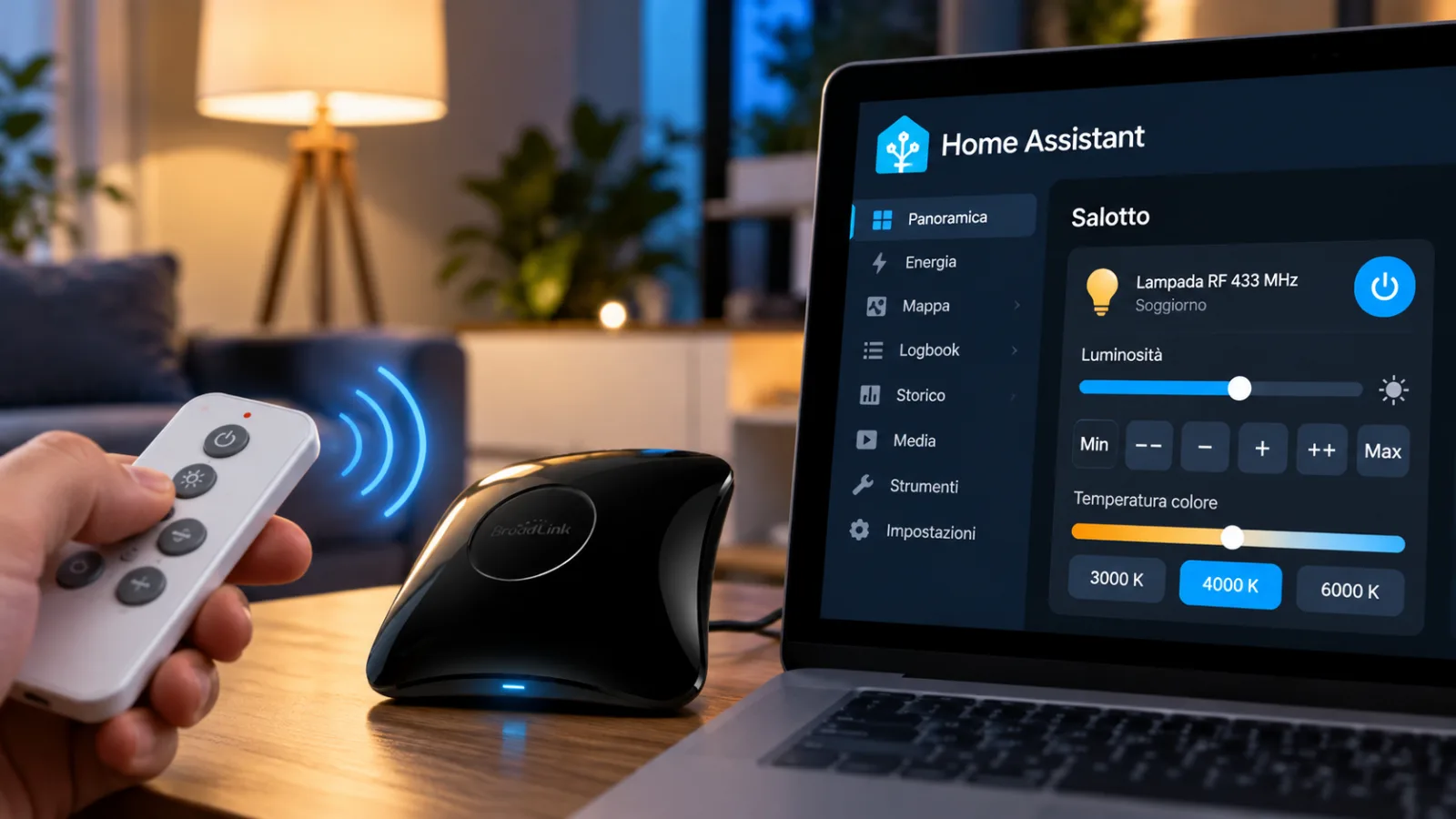
rf2broadlink allows you to use 433 MHz remote controls with Broadlink RM4 Pro without learning the codes
rf2broadlink generates 433 MHz RF commands for Broadlink RM4 Pro without learning. Here's how to integrate them into Home Assistant and what the limitations are.
rf2broadlink - Manage 433 MHz radio devices through Broadlink RM4 Pro and Home Assistantmay require an impractical learning procedure, especially when remote controls transmit signals that are short or difficult to acquire. The objective is to eliminate the acquisition phase and obtain shorter transmissions, also suitable for repeated commands from home automation dashboards.
Why RF learning on the Broadlink RM4 Pro can be tricky
The Broadlink RM4 Pro allows you to control radio devices through Home Assistant, but the acquisition of RF commands is not always immediate. The author of the project says he encountered several difficulties using the serviceremote.learn_commandwith the parametercommand_type: rf.
This behavior makes it particularly difficult to acquire remote controls whose buttons do not continuously repeat the signal when held down.
In the documented case, the captured commands spanned approximately 25 frames, with transmission close to a second for each press. Excessive duration produced an undesirable effect: rapid, consecutive presses of a button in the dashboard were interpreted by the lamp as a single long press. Also, two of the sixcodesinitially acquired did not work correctly.
The problem does not necessarily affect all RF remote controls, but shows a practical limitation of the traditional procedure when the controlled device distinguishes individual pressures through separate transmissions.
How rf2broadlink works and what codes it supports
The project exploits a feature of numerous economical remote controls used for lamps, radio-controlled sockets and doorbells: the use of thePrinceton/EV1527 24-bit. When the code transmitted by the remote control is known, a Broadlink compatible packet can be directly generated without physically capturing the original signal.
The tool accepts both 24-bit hex codes and files.sub, a format used in the Flipper Zero ecosystem. The author reports the availability of numerous codes published in collections such as UberGuidoZ/Flipper, which can constitute a starting point for identifying the commands of already documented devices.
rf2broadlink is distributed as a single Python file, requires no additional dependencies, and uses the MIT-0 license. Execution returns a Base64 encoded packet, preceded by the prefixb64:, usable in Home Assistant commands.
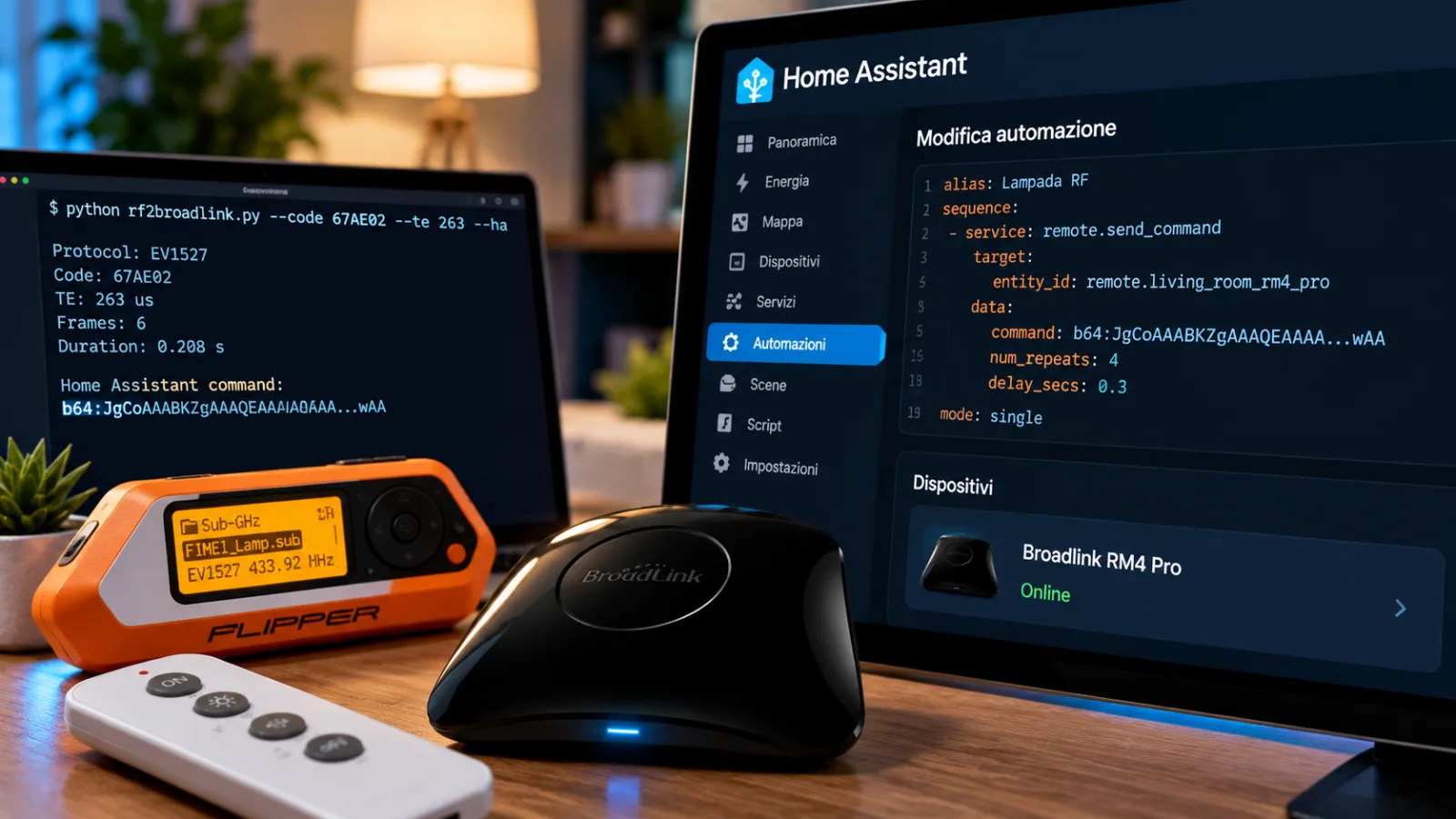
An example reported by the author concerns a FIMEI floor lamp that operates at433.92 MHz, uses EV1527 and has an element time, referred to as TE, of263 microseconds. The hexadecimal code67AE02corresponds to switching on and off, while67AE03reduces brightness e67AE06increases it.
The lamp itself uses additional codes to select the main lighting, reading light, rotating lights, one-hour timer, and 3000K, 4000K, and 6000K color temperature settings. These values are a specific example and should not be considered universal to other EV1527 remote controls.
This structure allows you to maintain distinct consecutive pressures which, with longer signals, would risk being interpreted as a single command.
Integrate generated commands into Home Assistant
To use the project you need to have the rf2broadlink Python script, know the RF code of the button to play or have an appropriate .sub file, and have a Broadlink RM4 Pro configured in Home Assistant. The project therefore does not eliminate the need to identify device codes: it avoids the learning phase when this information is already available.
The conversion can be performed by indicating a .sub file or by directly providing the hexadecimal code and, when necessary, the TE time parameter. The option--haproduces the format intended for integration with Home Assistant.
Once the Base64 result is obtained, the command can be inserted into the configuration of a button template. In the posted example, the button uses the actionremote.send_command, addressed to the entityremote.living_room_rm4_pro, and passes the generated value through the command field.
The entity name must match the Broadlink configured in the user's installation. The RF code and TE value must also be appropriate for the remote control to be played. The values used in the FIMEI example are to illustrate operation and do not constitute a valid configuration for every device.
Adjust brightness and color temperature with repeated presses
One of the most interesting aspects concerns the gradual control of brightness. The lamp used in the tests changes the intensity or color temperature in small increments and only recognizes distinct pressures. A longer transmission therefore does not produce greater adjustment.
The author solved this limitation by repeating the short packet with a pause between transmissions.
The dashboard created includes six controls, called Min, −−, −, +, ++ and Max. The respective operations use 12, 4, 1, 1, 4 and 12 presses, simulating the behavior of a dimmer through a sequence of separate radio commands.
This is a particularly useful solution for devices that do not provide a direct command to set a brightness percentage, but only respond to subsequent increases or decreases.
Compatibility, tests carried out and limitations
According to what the author stated in theHome Assistant community, Princeton/EV1527 support has been verified on real hardware using all 12 FIMEI lamp buttons, a Broadlink RM4 Pro andHome Assistant 2026.10. Automated tests also compare the generated output byte-by-byte with the packets used in the tests.
The management of Flipper RAW files has been implemented and subjected to unit tests, but at the time of publication it had not yet been directly verified on hardware. It is therefore important to distinguish this functionality from the Princeton/EV1527 path already successfully tested.
The author also states that he only tested the Broadlink RM4 Pro. Other Broadlink models equipped with RF transmission may use the same format, but their compatibility has not been confirmed through practical tests.
Important limitation:rf2broadlink does not allow you to reproduce with this method remote controls that use variable codes, or rolling codes, such as those used by some systems for garages, cars and alarms. The project is intended for actually supported protocols and signals, not for bypassing radio authentication systems.
The project was shared publicly to gather feedback, problem reports, and contributions from those who use other remote controls. For home automation enthusiasts who own already documented fixed code RF devices, it represents a concrete alternative to the traditional learning procedure, with the advantage of producing short and repeatable transmissions through Home Assistant.
Source:Community Home Assistant


Commenti
Ancora nessun commento. Sii il primo a partecipare.