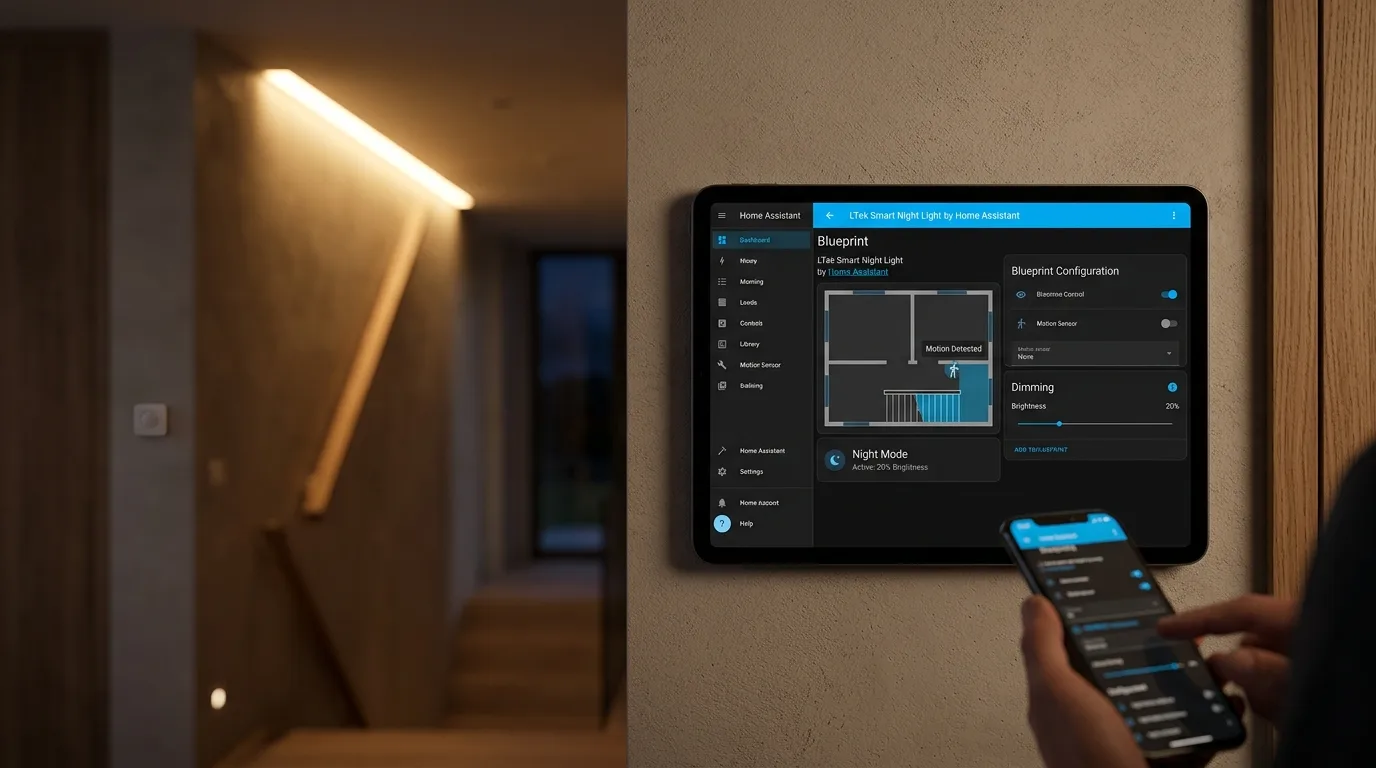
Smart Night Light by LTek: La nuova automazione per l'illuminazione notturna su Home Assistant
Scopri Smart Night Light by LTek, un nuovo blueprint per Home Assistant che ottimizza l'illuminazione notturna, gestendo luminosità, sensori e recupero
Cos'è Smart Night Light by LTek?
La gestione dell'illuminazione domestica durante le ore notturne può essere complessa, ma con l'introduzione di "Smart Night Light by LTek", un nuovo blueprint disponibile per home Assistant, il processo diventa notevolmente più intelligente e personalizzabile. Questo strumento è progettato per ottimizzare l'uso delle luci notturne, adattandosi a diverse condizioni ambientali e alle preferenze dell'utente. La versione più recente, 2026.09.13.10, porta con sé miglioramenti significativi rispetto alle iterazioni precedenti, focalizzandosi su un'esperienza utente più fluida e reattiva. La keyword principale per questo strumento è Smart Night Light Home Assistant, che ne definisce chiaramente lo scopo e l'ecosistema di appartenenza.
Aggiornamento: Smart Night Light by LTek (Versione 2026.09.13.10)
La nuova versione introduce funzionalità avanzate per una gestione più precisa dell'illuminazione notturna su Home Assistant, migliorando l'adattabilità e la reattività del sistema.
Funzionalità avanzate e novità
Il blueprint "Smart Night Light by LTek" si distingue per una serie di innovazioni che ne aumentano l'efficacia e la versatilità. Tra le novità più rilevanti spiccano il recupero della luminosità notturna dopo modifiche esterne, l'introduzione dell'isteresi Lux per una maggiore stabilità, la considerazione della luminanza intrinseca delle lampade e la correzione di alcuni timeout.
Recupero luminosità notturna
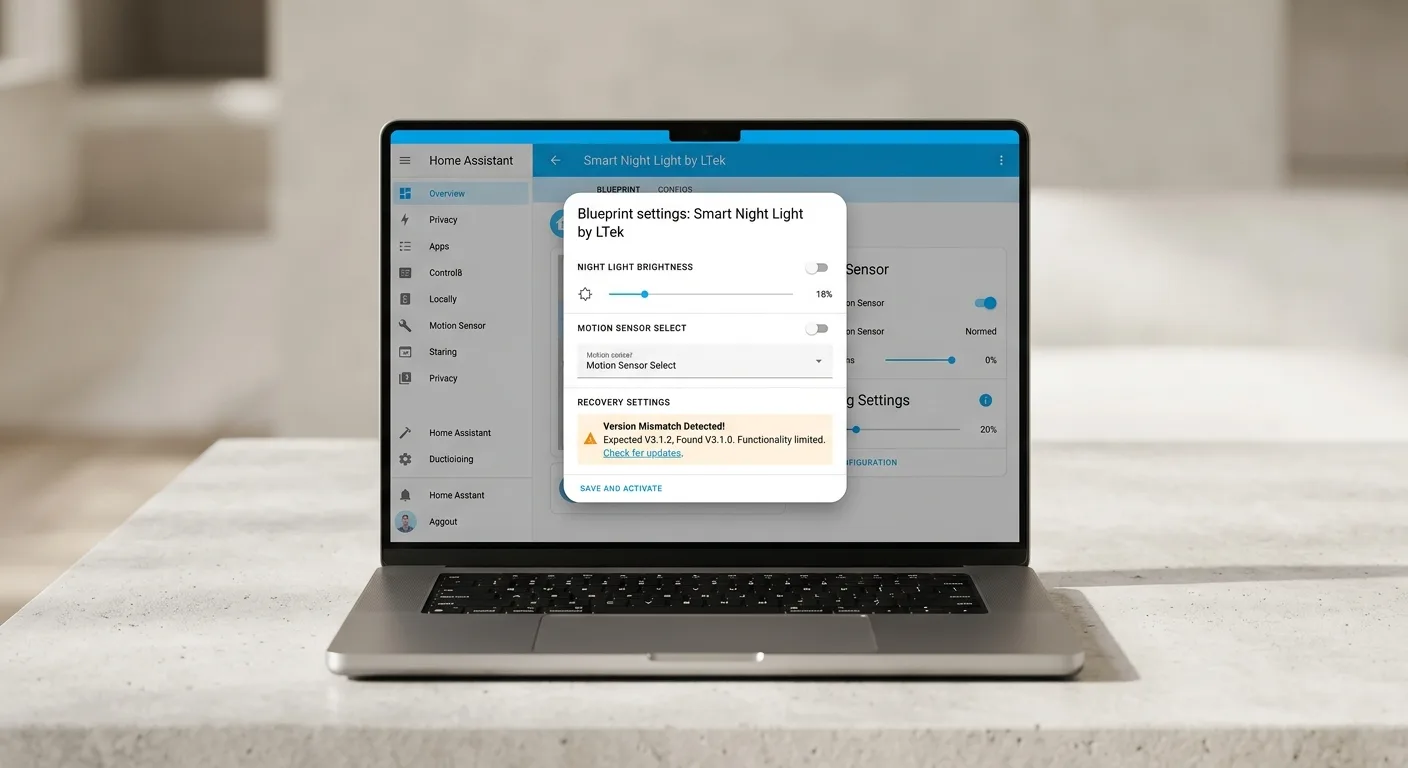
Una delle funzionalità più apprezzate è la capacità del sistema di ripristinare automaticamente la luminosità notturna impostata, anche se la luce è stata modificata manualmente, tramite un'altra automazione o un interruttore fisico. Il sistema attende un intervallo di tempo configurabile prima di ripristinare la luminosità desiderata, a meno che un altro evento (come il rilevamento di movimento o un cambiamento della luce ambientale) non abbia già corretto la situazione.
Isteresi Lux e soglie
Per evitare accensioni e spegnimenti indesiderati dovuti a fluttuazioni della luce ambientale (come quelle che si verificano all'alba e al tramonto, o a causa di ombre e nuvole), il blueprint implementa un'isteresi Lux. Questo crea una "banda morta" (di default 40 LUX) che assorbe queste variazioni, garantendo che il trigger "luce ambientale intensa → spegnimento" si attivi solo quando l'area è effettivamente luminosa, e non al semplice superamento di una soglia minima.
Considerazione della luminanza intrinseca
Il sistema ora tiene conto della luce emessa dalle stesse lampade controllate. Quando le luci sono accese, la lettura Lux viene confrontata con una soglia più alta per evitare che la loro stessa luminescenza venga interpretata come "luce diurna", causando lo spegnimento involontario delle luci. Questa logica è applicata sia ai percorsi OR che AND, garantendo che un setup con luce ambientale richiesta non entri in conflitto con il meccanismo di mantenimento.
Correzione timeout
È stato corretto il parametro `bright_to_dim_timeout`, che in precedenza non funzionava correttamente. Questo timeout è cruciale per la gestione del passaggio da una condizione di luminosità elevata a una più bassa, specialmente quando le luci sono state accese manualmente durante la notte. La correzione assicura che, dopo un certo periodo, le luci vengano attenuate alla luminosità notturna impostata, e che un evento di movimento possa interrompere questo processo in modo pulito.
Come funziona
La modalità notturna viene attivata da una qualsiasi delle condizioni abilitate: intervallo di tempo, elevazione solare o luce ambientale (logica OR). Le "Condizioni Richieste" aggiungono una logica AND, richiedendo che tali condizioni siano vere affinché la modalità notturna sia attiva. Quando la modalità notturna è attiva e viene rilevato movimento, le luci si accendono alla luminosità impostata per il movimento. Al cessare del movimento, le luci tornano alla luminosità notturna dopo il timeout configurato. I trigger di notte (tramonto, ora di inizio/fine, luce ambientale buia/luminosa) agiscono indipendentemente per impostare la luminosità notturna o spegnere le luci.
Installazione e configurazione
Smart Night Light Home Assistant - Per installare "Smart Night Light by LTek", è necessario importare il blueprint tramite il suo URL sorgente (disponibile su GitHub o nella community di Home Assistant). Una volta importato, l'utente dovrà configurare i vari parametri tramite l'interfaccia di Home Assistant, selezionando le luci target, i sensori di movimento, le soglie di luminosità desiderate per la modalità notturna e per il movimento, e i vari timeout. È possibile inoltre configurare un programma di bypass per disabilitare temporaneamente l'automazione o utilizzare uno switch manuale per un controllo diretto. La flessibilità di configurazione permette di adattare l'automazione a quasi ogni scenario domestico.
blueprint:
name: "🌙 Smart Night Light by LTek"
description: |
**Smart Night Light**
🚀 Version 2026.09.13.10
Author: LTek
Latest Release...
NEW: Restore Night Brightness after external change
If the light is changed by anything other than this automation (manual toggle, another automation, physical switch) while Night Mode is active, wait the applicable timeout and restore it to Night Brightness — unless something else (motion, ambient, etc.) has already corrected it. Separate timeouts for when the external change leaves the light ABOVE vs BELOW the configured Night Brightness.
NEW: Lux hysteresis (high/low range) to allow for a dead-band (40 LUX by default) to absorb dusk/dawn, shadows / cloud flicker, etc
"ambient bright → turn off" trigger now fires against the high threshold, thus is "area is bright," not "just crossed the entry point."
NEW: Account for the light's own luminance
the light's own on/off state is the night-state memory.
While the lights are ON, is_night_time holds night against the high threshold instead of the low one. So the fixtures' own glow (which sits below 80) can't push the reading into "daytime" and make the lights extinguish themselves. Applied to both the OR logic and the require_ambient_light AND path so a required-ambient setup doesn't fight the latch.
FIX: bright_to_dim_timeout (was dead)
Affects the non-motion path. Bright as night falls, or manually brightened mid-night. Added a re-check that it's still night after the wait, and restart mode means a real motion event cancels the wait and takes over cleanly.
How it works...
• Night Mode is determined by any enabled condition — Time Range, Sun Elevation, or Ambient Light. If any enabled condition is true, Night Mode is active (OR logic).
• Required Conditions add AND logic — if a condition is marked as Required, it must also be true for Night Mode to be active, regardless of other conditions.
• Motion Trigger: When Night Mode is active and motion is detected, lights brighten to Motion Brightness. When motion clears, lights return to Night Brightness after the configured timeout.
• Night Trigger: Each enabled trigger (Time Start/End, Sunset/Sunrise, Ambient Dark/Bright) fires independently and sets the light to Night Brightness or turns it off based on whether Night Mode is now active.
• Day Trigger: Sunrise, Time End, Ambient Bright → turns lights off.
• Bypass Schedule: When enabled, defines days and times when nothing will ever trigger — checked first, no light action taken.
• Bypass Switch: When enabled, overrides normal automation — checked last, acts on the light per the Bypass Switch Action setting.
• Ambient Hysteresis: Night mode is entered below the Dark Threshold and only exited above the higher Bright Threshold. The gap between them is a dead-band that stops the lights flapping at dusk/dawn.
• Account for Light's Own Luminance: When the controlled lights shine on the lux sensor, enable this so night mode holds against the Bright Threshold while the lights are ON — the fixtures' own glow can't falsely register as daytime and turn themselves off.
• Bright-to-Dim Timeout: When a night trigger fires and the lights are already brighter than Night Brightness (e.g. left bright as night falls), they wait this timeout before easing down to Night Brightness instead of dropping immediately.
• Restore After External Change: If Night Mode is active and the light is changed by anything other than this automation, wait the applicable timeout (Above or Below Night Brightness) then restore Night Brightness — unless another trigger (motion, ambient, etc.) has already corrected it in the meantime.
🌞 **Day** - Lights are not controlled; Night Mode is inactive
🌙 **Night Mode** - Any enabled condition is true (and all required conditions are met)
🏃 **Motion** - Lights brighten to Motion Brightness when Night Mode is active
**FEATURES**
🎯 Multi-sensor support with motion confirmation and cooldown
🔅 Smart night detection via ambient light, sun elevation, or time schedule
⏱️ Configurable timeouts with optional grace periods
🔒 Required Conditions enforce AND logic across night mode sources
🚧 Bypass system for temporary automation override
Restore Night Brightness after external changes
📢 Comprehensive notification system
📌 Persistent Web UI Notifications
📱 Mobile Notifications
🌄 Sunset/sunrise triggers for automatic scheduling
💫 Smooth transitions between all lighting states
🐛 Debug mode for troubleshooting
📖 Community Discussion, Help, and Details... https://community.home-assistant.io/
source_url: https://gist.github.com/Ltek/f38f506ea2c64bdeb1b03d32b65c15da
domain: automation
input:
target_lights:
name: "💡 Target Light"
description: "Light Entity or Group to control and monitor"
selector:
entity:
domain: light
motion_sensors:
name: "🎯 Motion / Occupancy / Trigger Sensor(s)"
description: "Select sensors to Trigger the automation (motion, occupancy, or door/opening sensors such as an alarm zone)"
selector:
entity:
multiple: true
filter:
- domain: binary_sensor
device_class: motion
- domain: binary_sensor
device_class: occupancy
- domain: binary_sensor
device_class: presence
- domain: binary_sensor
device_class: door
- domain: binary_sensor
device_class: opening
- domain: binary_sensor
device_class: garage_door
- domain: binary_sensor
device_class: window
motion_brightness:
name: "Motion Brightness"
description: Brightness level when motion is detected (Night Mode must be active)
default: 100
selector:
number:
min: 1
max: 100
unit_of_measurement: "%"
night_brightness:
name: "Night Mode Brightness"
description: Brightness level for night mode when no motion (0 = lights off)
default: 10
selector:
number:
min: 0
max: 100
unit_of_measurement: "%"
motion_settings:
name: "Motion"
icon: mdi:tune
description: Configure motion detection and timing
collapsed: true
input:
motion_timeout:
name: "Motion Timeout"
description: Time to wait after motion clears before returning to Night Brightness
default: 300
selector:
number:
min: 0
max: 3600
unit_of_measurement: seconds
bright_to_dim_timeout:
name: "Bright to Dim Timeout"
description: Time to wait before dimming lights that are above night brightness during night conditions
default: 300
selector:
number:
min: 0
max: 3600
unit_of_measurement: seconds
motion_confirmation_delay:
name: "Motion Confirmation Delay"
description: "Delay to confirm motion is real (prevents false triggers)"
default: 1
selector:
number:
min: 0
max: 5
unit_of_measurement: seconds
cooldown_period:
name: "Cooldown Period"
description: Minimum time between motion triggers in seconds
default: 30
selector:
number:
min: 0
max: 3600
unit_of_measurement: seconds
grace_period_duration:
name: "Grace Period Duration"
description: "Time to wait before adjusting lights after motion timeout (0 = disabled)"
default: 0
selector:
number:
min: 0
max: 300
unit_of_measurement: seconds
restore_settings:
name: "External Change Recovery"
icon: mdi:restore
description: Detect changes to the target light made by anything other than this automation, and restore Night Brightness after a timeout
collapsed: true
input:
restore_after_external_change:
name: "Restore Night Brightness Level after non-motion change"
description: "If the light is turned on/off or changed to a brightness this automation didn't set (manual toggle, another automation, physical switch) while Night Mode is active, restore it to Night Brightness after the applicable timeout below."
default: false
selector:
boolean:
external_change_restore_timeout_above:
name: "Restore Timeout — Brightness Above Night Level"
description: "How long to wait before restoring Night Brightness when the external change left the light ABOVE the configured Night Mode Brightness (e.g. someone brightened it)."
default: 60
selector:
number:
min: 1
max: 1800
step: 1
unit_of_measurement: seconds
mode: slider
external_change_restore_timeout_below:
name: "Restore Timeout — Brightness Below Night Level"
description: "How long to wait before restoring Night Brightness when the external change left the light BELOW the configured Night Mode Brightness, including OFF (e.g. someone dimmed or turned it off)."
default: 60
selector:
number:
min: 1
max: 1800
step: 1
unit_of_measurement: seconds
mode: slider
bypass_settings:
name: "Bypass"
icon: mdi:pause-circle-outline
description: Override automation on demand or on a schedule
collapsed: true
input:
use_bypass_schedule:
name: "Use Bypass Schedule"
description: "Enable a Schedule Helper to define days & times when the automation will NOT run. Checked first — no light action is taken during these times."
default: false
selector:
boolean:
bypass_schedule:
name: "Bypass Schedule"
description: "Select a Schedule Helper that defines days & times when the automation will NOT run. Create one in Settings → Devices & Services → Helpers → Schedule."
default: ""
selector:
entity:
filter:
- domain: schedule
use_bypass:
name: "Use Bypass Switch"
description: "Enable a switch to manually override automation. Checked last — acts on the light per the Bypass Switch Action setting."
default: false
selector:
boolean:
bypass_switch:
name: "Bypass Switch"
description: "Switch to bypass automation (input_boolean or switch)"
default: ""
selector:
entity:
filter:
- domain: input_boolean
- domain: switch
multiple: false
bypass_action:
name: "Bypass Switch Action"
description: "What happens when bypass switch is active?"
default: keep_current
selector:
select:
options:
- label: "Keep lights at current state"
value: keep_current
- label: "Turn lights OFF during bypass"
value: turn_off
- label: "Turn lights ON during bypass"
value: turn_on
time_range_settings:
name: "Night Time Range"
icon: mdi:clock-outline
description: Use a time window as a night mode condition
collapsed: true
input:
require_time_range:
name: "Require Time Range for Night Mode"
description: "When enabled, this condition is required to be True for the automation to run."
default: false
selector:
boolean:
use_time_range:
name: "Use Time Range"
description: Enable time range as a night condition
default: true
selector:
boolean:
enable_time_start_trigger:
name: "Use Start Time Trigger"
description: "Turn on lights at night brightness when start time is reached"
default: false
selector:
boolean:
enable_time_end_trigger:
name: "Use End Time Trigger"
description: "Turn off lights when end time is reached"
default: false
selector:
boolean:
night_start_time:
name: "Night Start Time"
description: Time when night mode can begin
default: "17:00:00"
selector:
time:
night_end_time:
name: "Night End Time"
description: Time when night mode ends
default: "05:00:00"
selector:
time:
sun_elevation_settings:
name: "Sun Elevation"
icon: mdi:weather-sunset
description: Use sun position as a night mode condition
collapsed: true
input:
require_sun_elevation:
name: "Require Sun Elevation for Night Mode"
description: "When enabled, this condition is required to be True for the automation to run."
default: false
selector:
boolean:
use_sun_elevation:
name: "Use Sun Elevation"
description: Enable sun elevation as a night condition
default: true
selector:
boolean:
enable_sun_sunset_trigger:
name: "Use Sunset Trigger"
description: "Turn on lights at night brightness when sunset occurs"
default: false
selector:
boolean:
enable_sun_sunrise_trigger:
name: "Use Sunrise Trigger"
description: "Turn off lights when sunrise occurs"
default: false
selector:
boolean:
sun_


Commenti
Ancora nessun commento. Sii il primo a partecipare.