iPhone, infinite battery? Discover the trick that will change the way you use it
Find out how Power Saving Mode on iPhone can extend battery life and change the way you use it. Tips and tricks
Smartphone batteries represent one of the main Achilles' heels of modern technology. Anyone who has an iPhone knows how frustrating it can be to find your phone dead when you need it. But what if I told you that there is a simple and effective trick to extend battery life and keep your iPhone charged longer? Today I'll tell you how to make the most of itMode ofenergy savingof iOS, an often underestimated function that could become your best ally.
Energy Saving Mode: what it is and how it works
LPM (Low Power Mode) is a feature built into iOS designed to reduce battery consumption by disabling or limiting certain device features. When your iPhone's battery drops below 20%, the system suggests you activate this mode, but not everyone knows that you can also use it at other times, significantly extending the life of your device.
Here's what happens when you activate this mode:
- Thebackground updatesof apps are temporarily suspended.
- The screen brightness is reduced.
- Thepush notificationsand some visual effects are limited.
- THEautomatic downloadsare deactivated.
The result? Your iPhone uses less power, allowing you to continue using it without worrying about running out of juice.
How to activate it on iPhone
Activating energy saving is simple and requires only a few steps:
- From Settings:
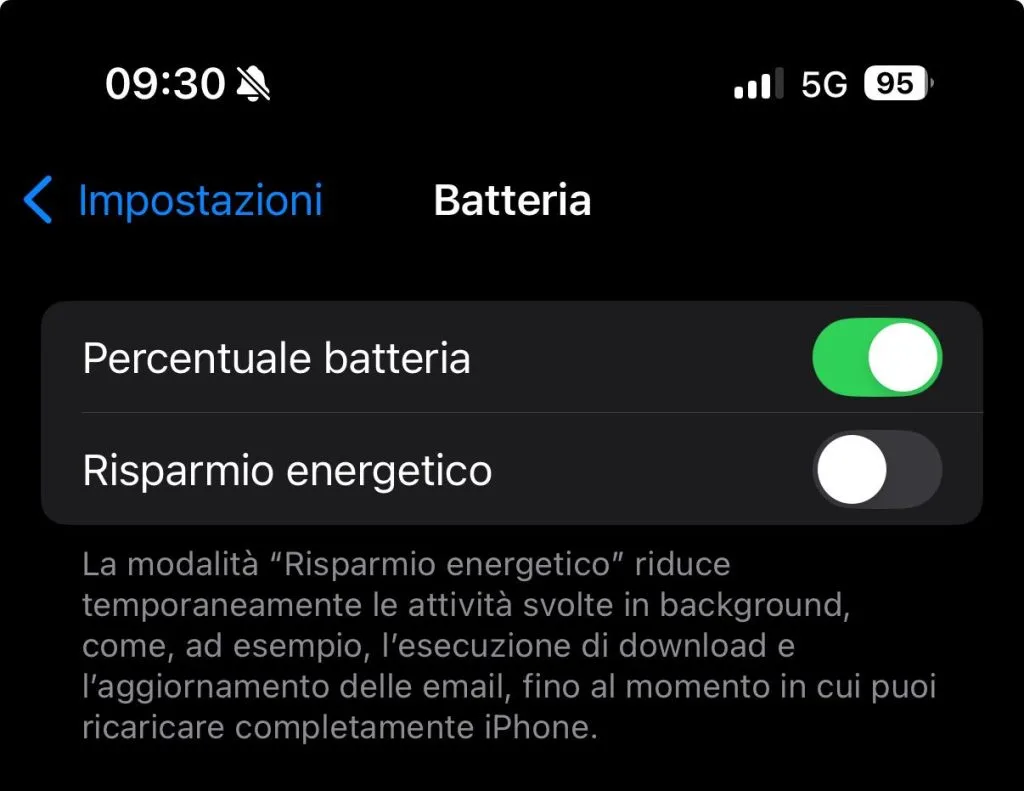
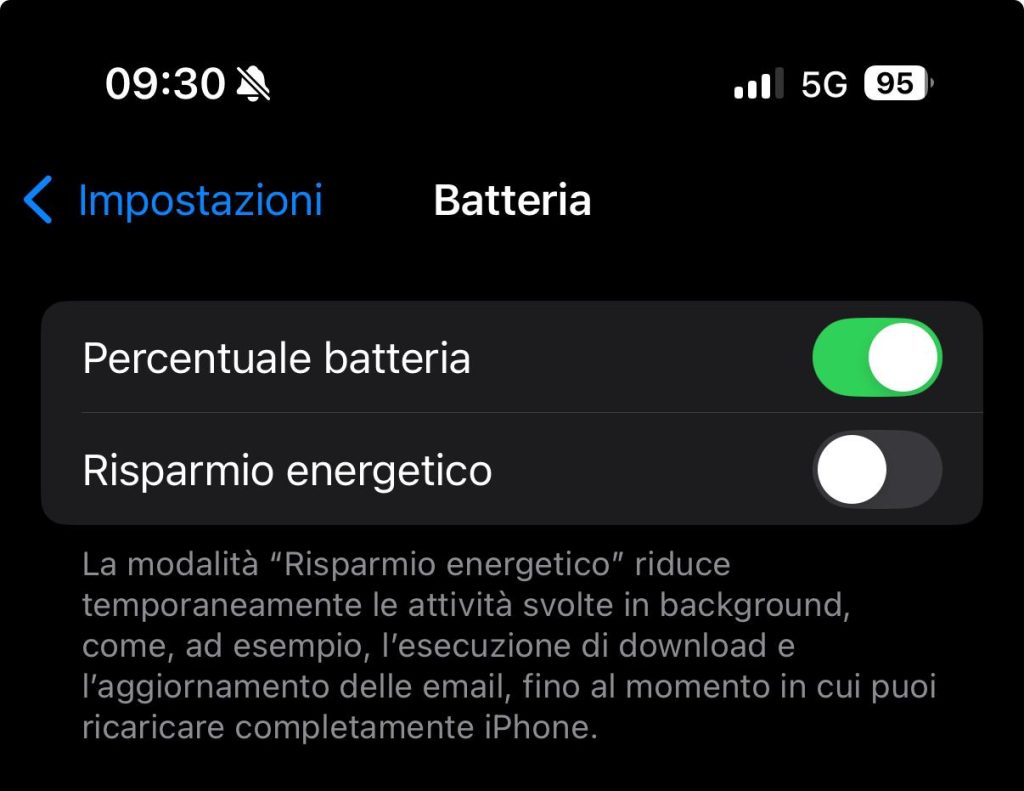
- Go upSettings > Battery.
- Tap the optionEnergy saving modeto activate it.
- From the Control Center:
- Go upSettings > Control Center > Customize Controls.
- Add the voiceEnergy saving mode.
- Once configured, you can turn the mode on or off directly from the Control Center with a single tap.
Once activated, you will notice a yellow icon next to the battery indicator. This signals that your iPhone is operating in low power mode.
Why is this Mode a brilliant trick?
Not everyone knows that this mode can be used even when the battery is over 20%. This trick is especially useful in specific situations, such as:
- Long trips, when you don't have access to a charger.
- Busy working days, where you need the phone to last until the evening.
- Emergencies, to make sure your device stays on when you need it most.
Models compatible with Power Saving Mode
Energy Saving Mode is available on all iPhone models updated to at least iOS 9. Here is a list of the main compatible models:
| iPhone model | Compatibility Energy saving mode |
|---|---|
| iPhone 6 and 6 Plus | ✅ |
| iPhone SE (1st gen.) | ✅ |
| iPhone 7 and 7 Plus | ✅ |
| iPhone 8 and 8 Plus | ✅ |
| iPhone | ✅ |
| iPhone XS and XS Max | ✅ |
| iPhone 11, 11 Pro | ✅ |
| iPhone 12 and later | ✅ |
If you own one of these models, you can activate this feature and start using it right away.
Extra tips to improve the battery life of your iPhone
In addition to Power Saving Mode, there are other useful tricks to improve battery life:
- Update your software:Apple regularly releases updates that include battery management improvements.
- Turn off Wi-Fi and Bluetooth if you don't use them:These services consume a lot of energy if left active all the time.
- Reduce push notifications:Go upSettings > Notificationsand disable non-essential ones.
- Turn on dark mode:OLED screens on newer iPhones use less power with dark backgrounds.
By following these tips, you can maximize the efficiency of your device and reduce stress on the battery, prolonging its life.
This Mode is a feature that all iPhone owners should know about and use. It not only improves the autonomy of the device, but also slows down the natural deterioration of the battery, ensuring optimal long-term performance. Try it now and discover how it can change your user experience, especially in the moments when you need your smartphone most.
Source:Apple


Commenti
Ancora nessun commento. Sii il primo a partecipare.